Introducing the new Front, Middle & Back distance options for the MiScore App.
Features:
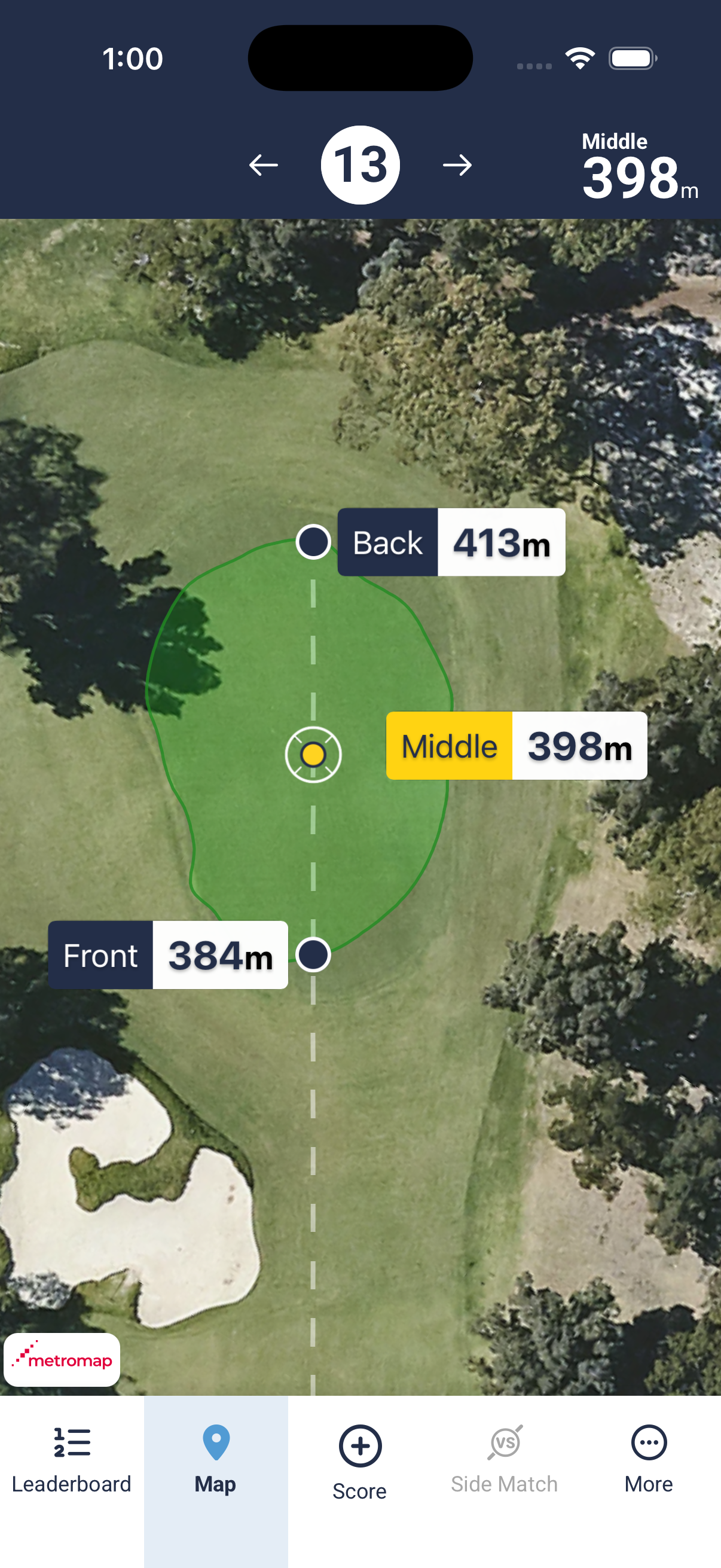
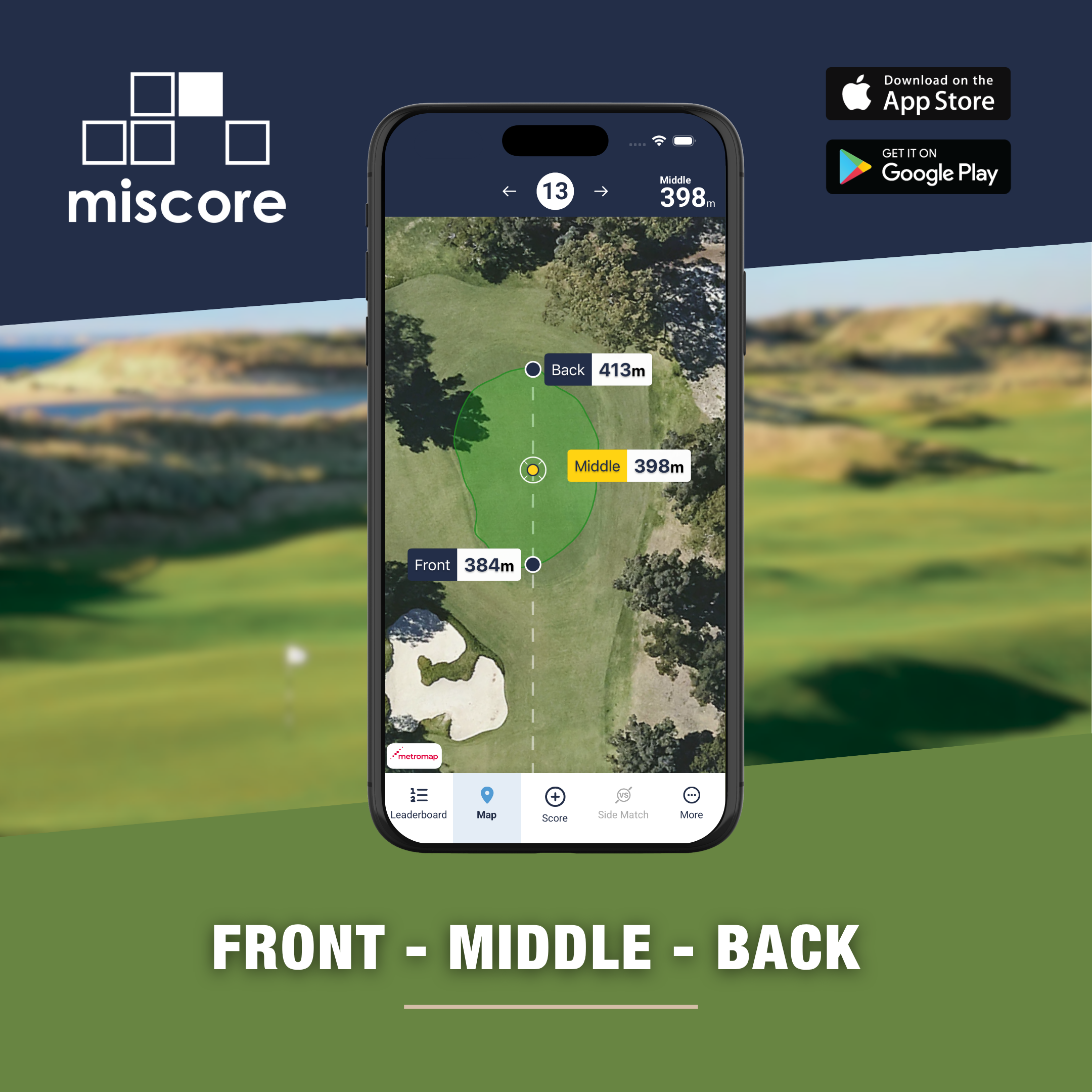
This new feature enables clubs to display the GPS distance to the front, middle (default) and back of any green in the MiScore App distance interface.
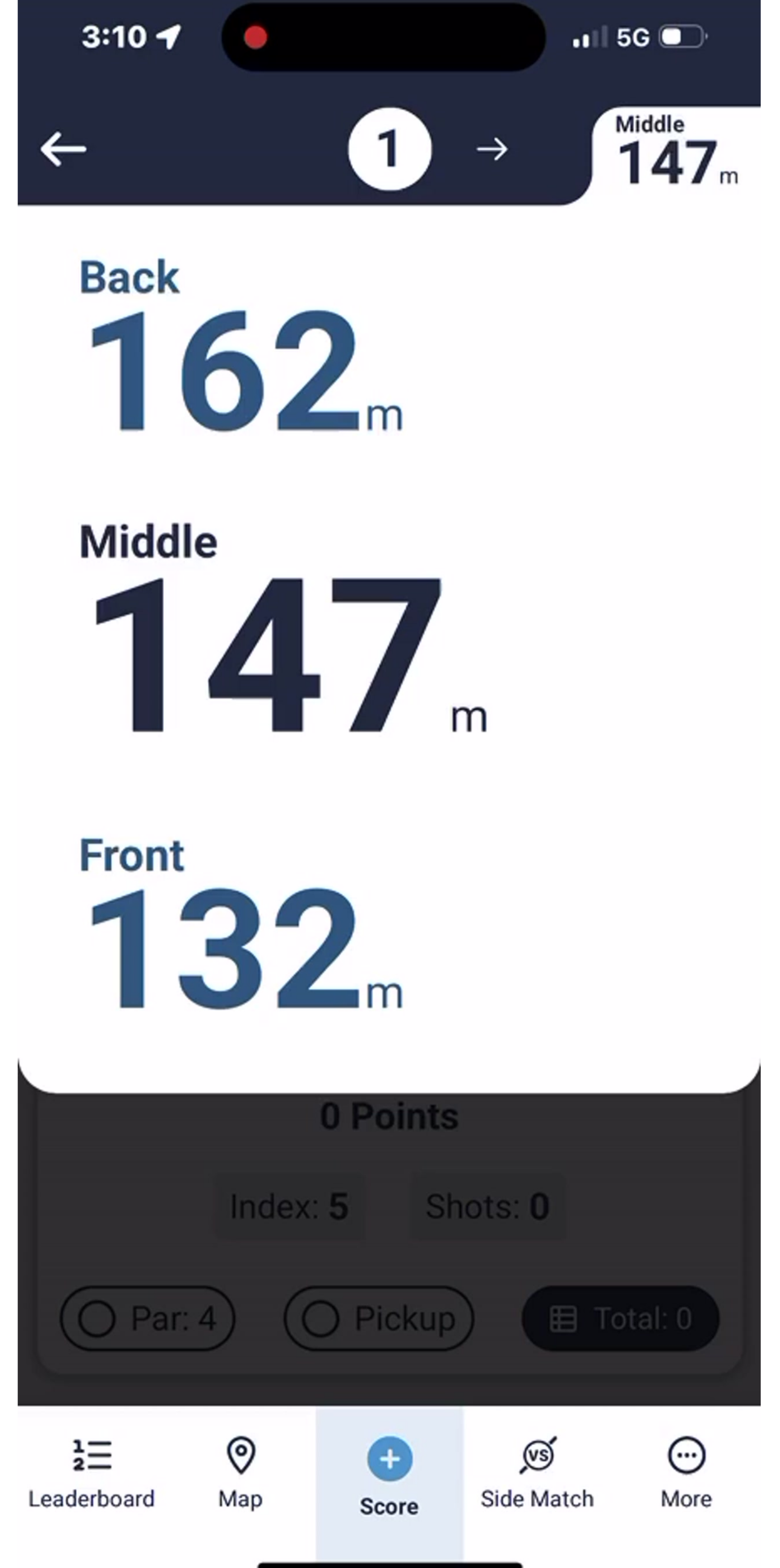
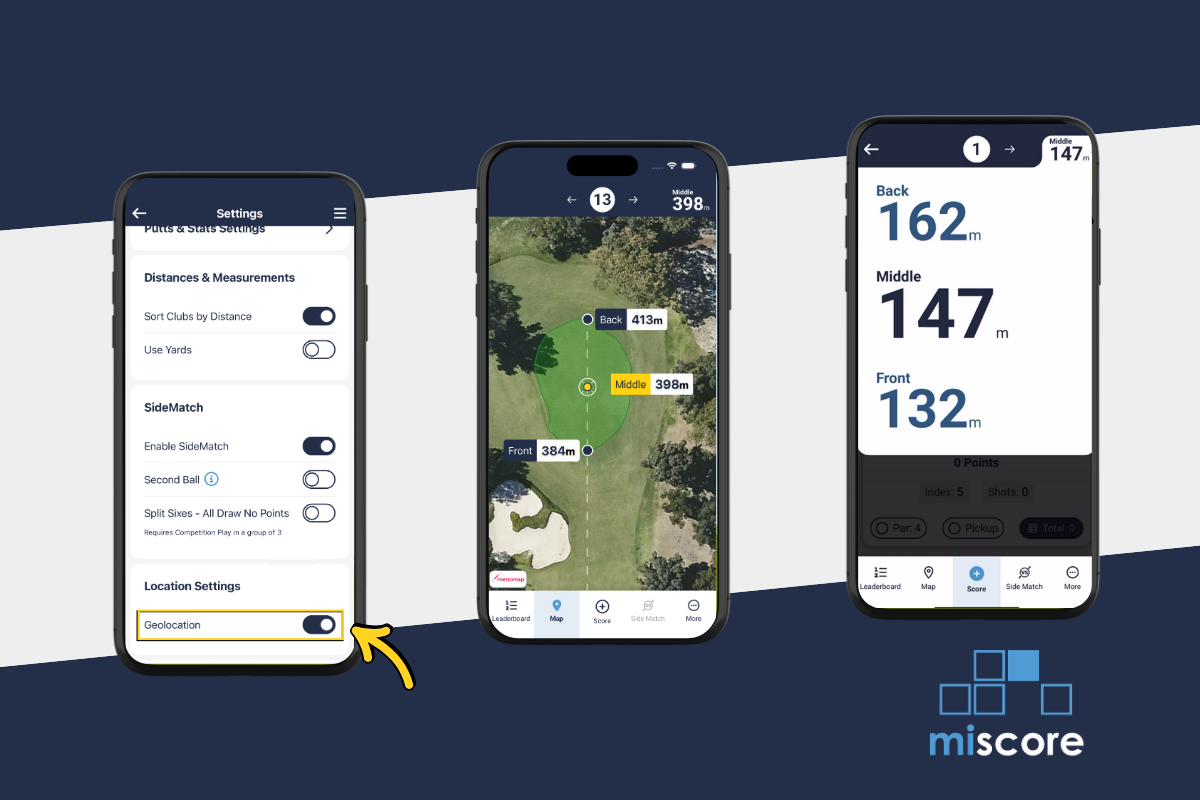
Front, Middle, Back (FMB) distance views are visible when clicking on the GPS distance icon in the bottom tab of the MiScore scoring screen. Alternatively, you can view the distances in larger display (without the map) in the top right of the scoring screen.
Distances are Geofenced in the MiClub software to measure to front and back edge of the green respectively and reference the current default middle of the green distance setting.
Enabling FMB
Setup has now been completed for clubs using the MiScore App under a Club Subscription agreement. If the Front | Middle | Back distance is not visible via your MiScore App GPS interface * clubs can request activation of this new feature by contacting MiClub Support on support@miclub.com.au
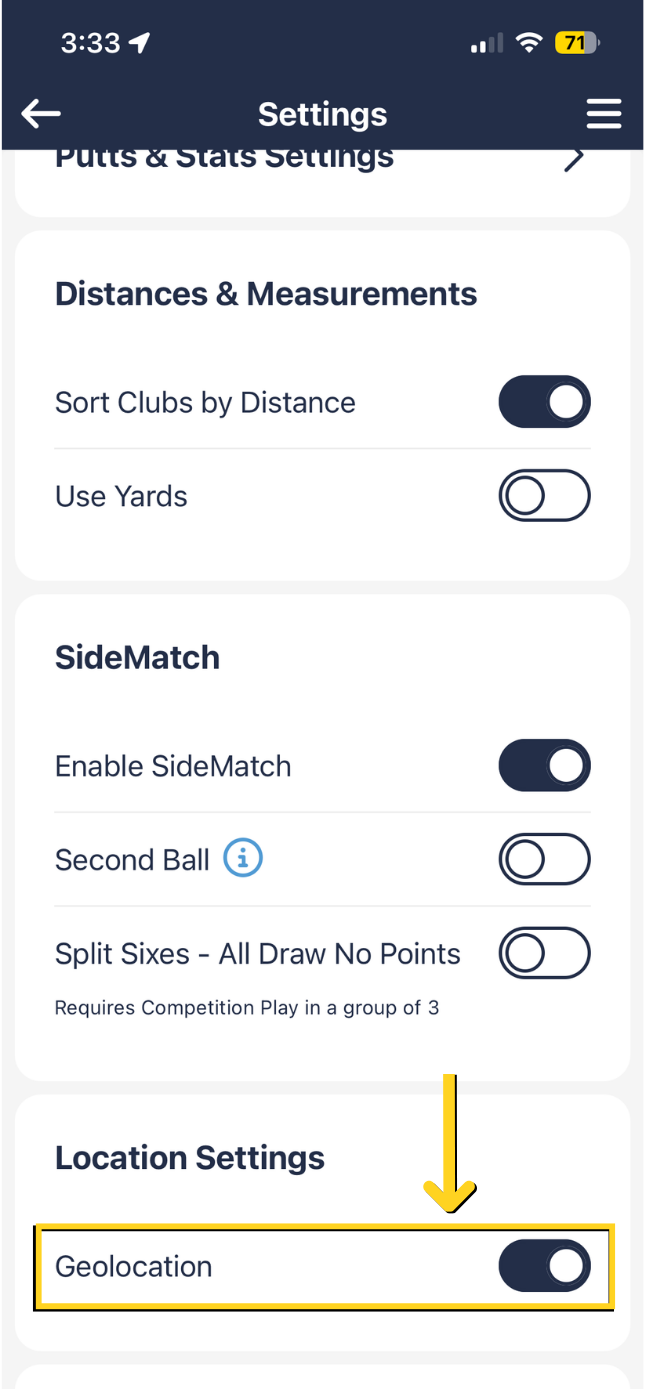
*Once the feature has been enabled, MiScore App users who haven't already done so, can navigate to MENU - SETTINGS and toggle 'GEOLOCATION' to ON as per the screenshot below.
| Menu | Settings Screen |
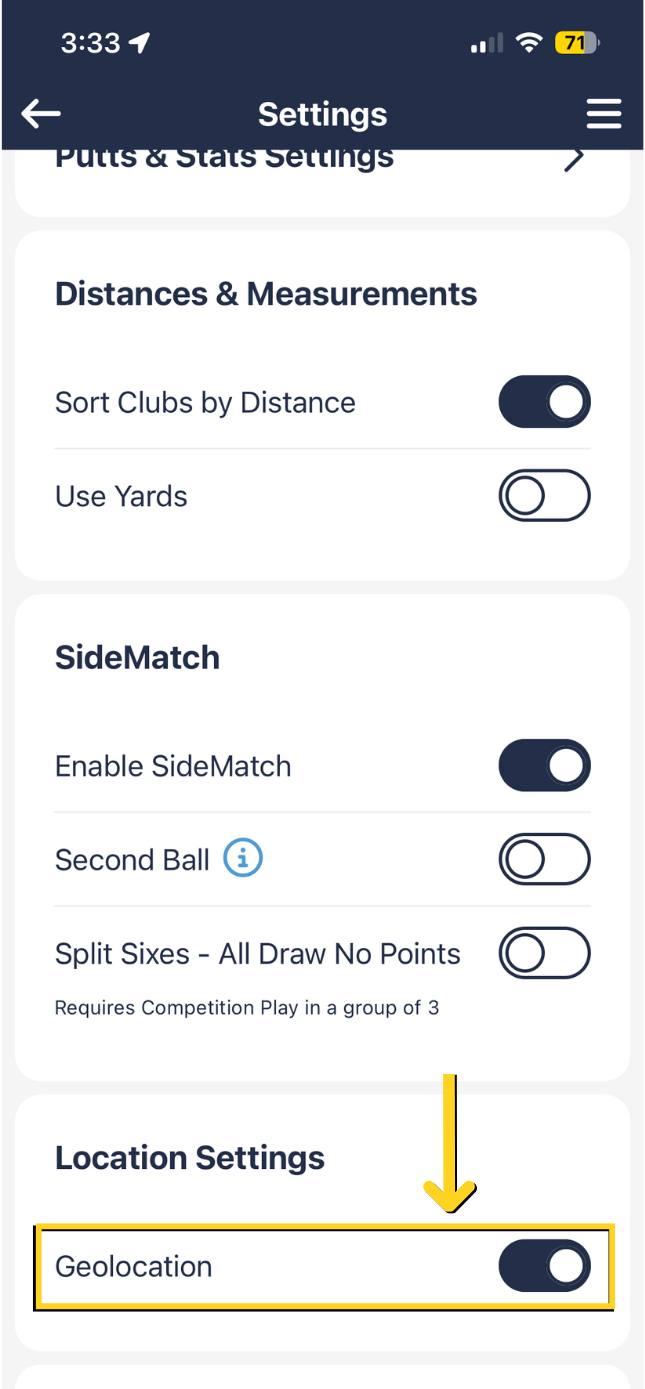 |
Additional Notes
For clubs that use pin marking – the pin location will replace the ‘To Middle’ measurement.
The front and back distances are measured by a direct line between you and the middle of the green (or pin position if enabled) and the point that line intersects with the green is the ‘Front’ measurement. The point that line leaves the green is the ‘Back’ measurement.
MiScore App Screenshots
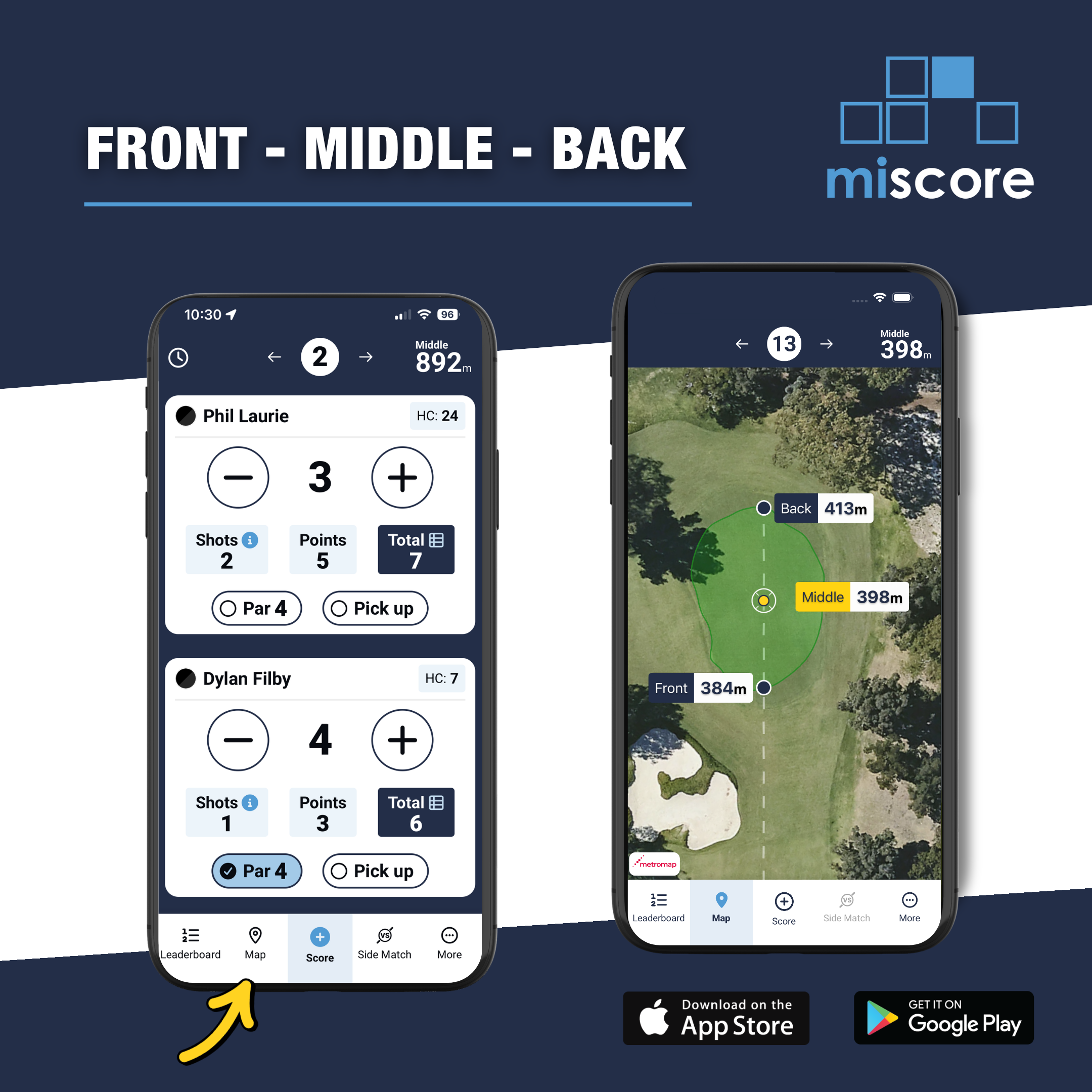
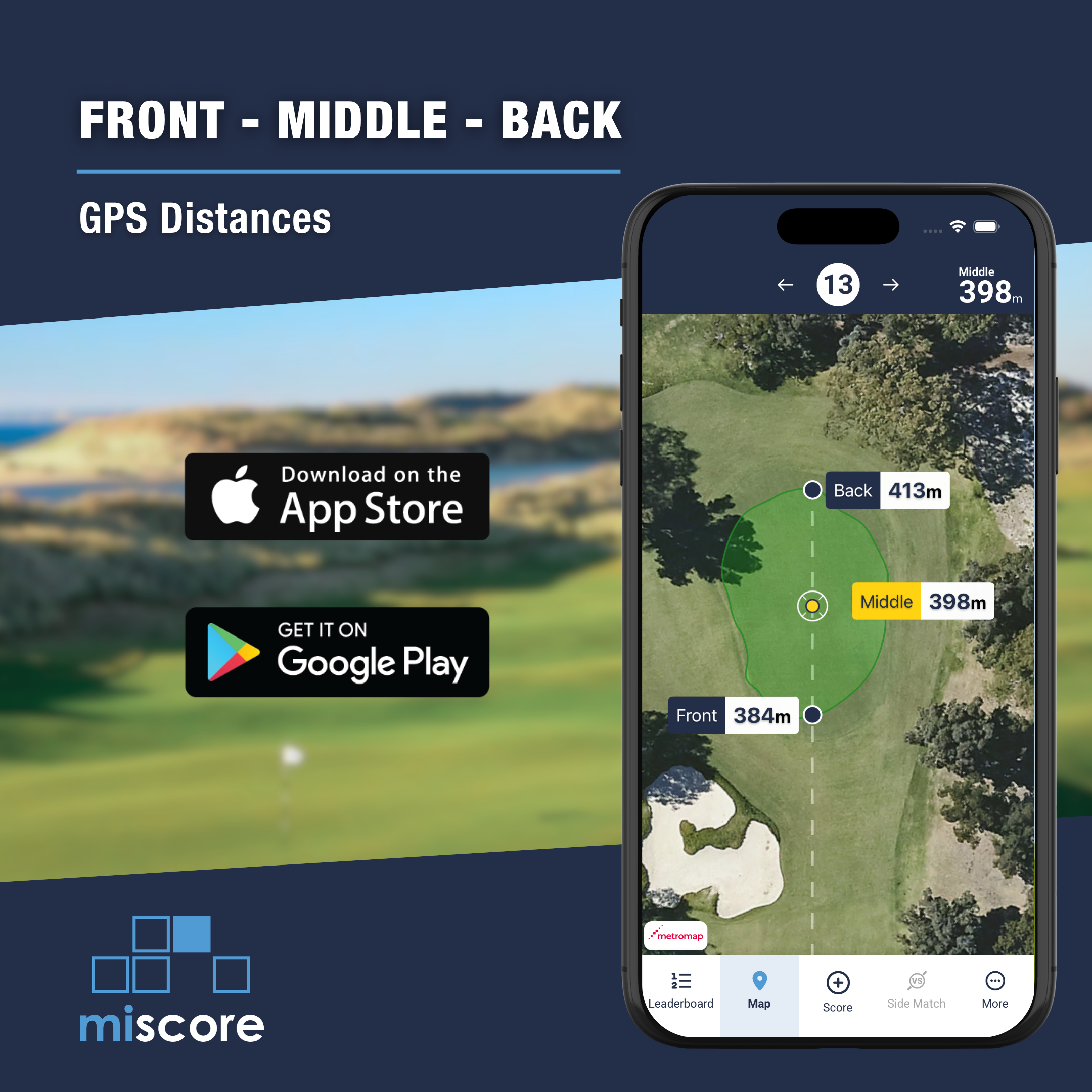
When entering into the GPS – you will see markers for the front, middle and back of the green as well as the distances.
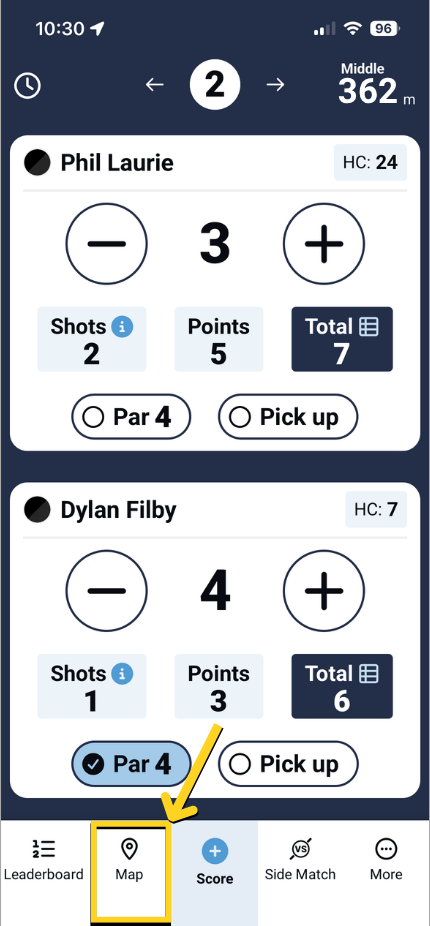
| Zoomed-in green view | Top right distance view |
 |  |
Member promotional materials To assist clubs with communicating the availability of FMB in the MiScore App to members, please feel free to download any of the following marketing and communication materials.
MEMBER PORTAL NEWS POST:
Suggested text:
Introducing the new Front, Middle & Back distance options now available in the MiScore App.
This new feature enables clubs to display the GPS distance to the front, middle (default) and back of any green in the MiScore App distance interface.
Front, Middle, Back (FMB) distance views are visible when clicking on the GPS distance option in the top right of the MiScore scoring screen.
Distances are Geofenced in the MiClub software to measure to front and back edge of the green respectively and reference the current default middle of the green distance setting.
To enabled this feature, App users can navigate to Menu -> Settings and then Toggle ‘Geolocation’ to ON as per the screenshot / video below.
[Include downloadable graphics or video below]
MEMBER VIDEO:
Promo video link - https://vimeo.com/1158664968?share=copy&fl=sv&fe=ci
Promo video embed code:
<div style="padding:56.25% 0 0 0;position:relative;"><iframe src="https://player.vimeo.com/video/1158664968?badge=0&autopause=0&player_id=0&app_id=58479" frameborder="0" allow="autoplay; fullscreen; picture-in-picture; clipboard-write; encrypted-media; web-share" referrerpolicy="strict-origin-when-cross-origin" style="position:absolute;top:0;left:0;width:100%;height:100%;" title="MiScore 2 Feature (FMB + GPS distances)"></iframe></div><script src="https://player.vimeo.com/api/player.js"></script>
WEBSITE GRAPHICS:
Right click to save the images below for your website posts
Was this article helpful?
That’s Great!
Thank you for your feedback
Sorry! We couldn't be helpful
Thank you for your feedback
Feedback sent
We appreciate your effort and will try to fix the article