To create a competition you will need a timesheet/event set up.
Once this is done you can create the competition by clicking the grey trophy to the event.

OR
From the timesheet/event go to Competitions -> Competitions
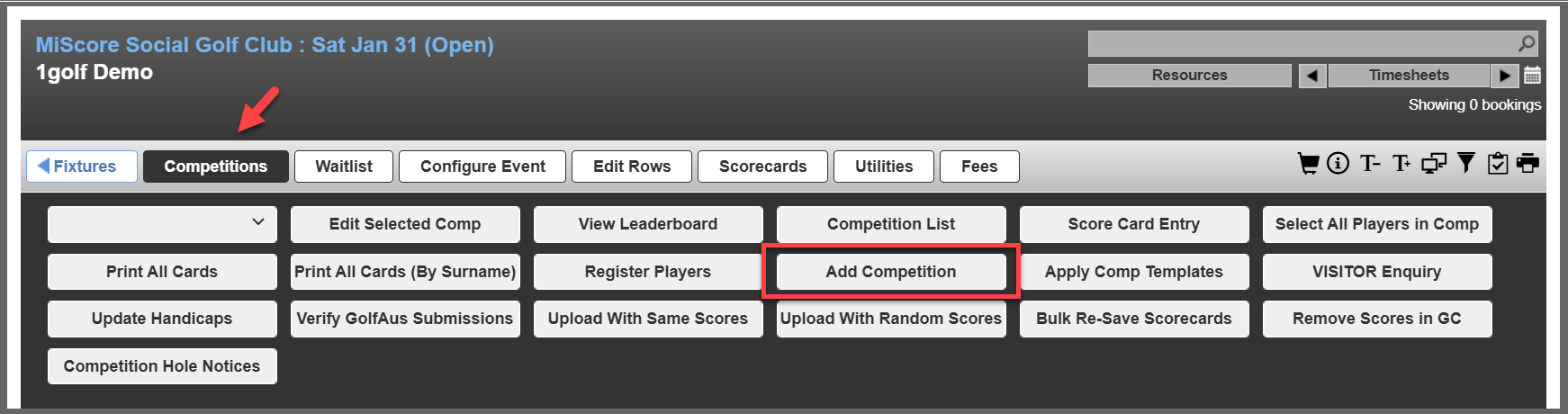
Note: If you are adding a competition to a timesheet that already has a competition setup then you will need to add via the second method.
Competition setup process
You can either use an existing template for the competition or fill out the information from scratch.
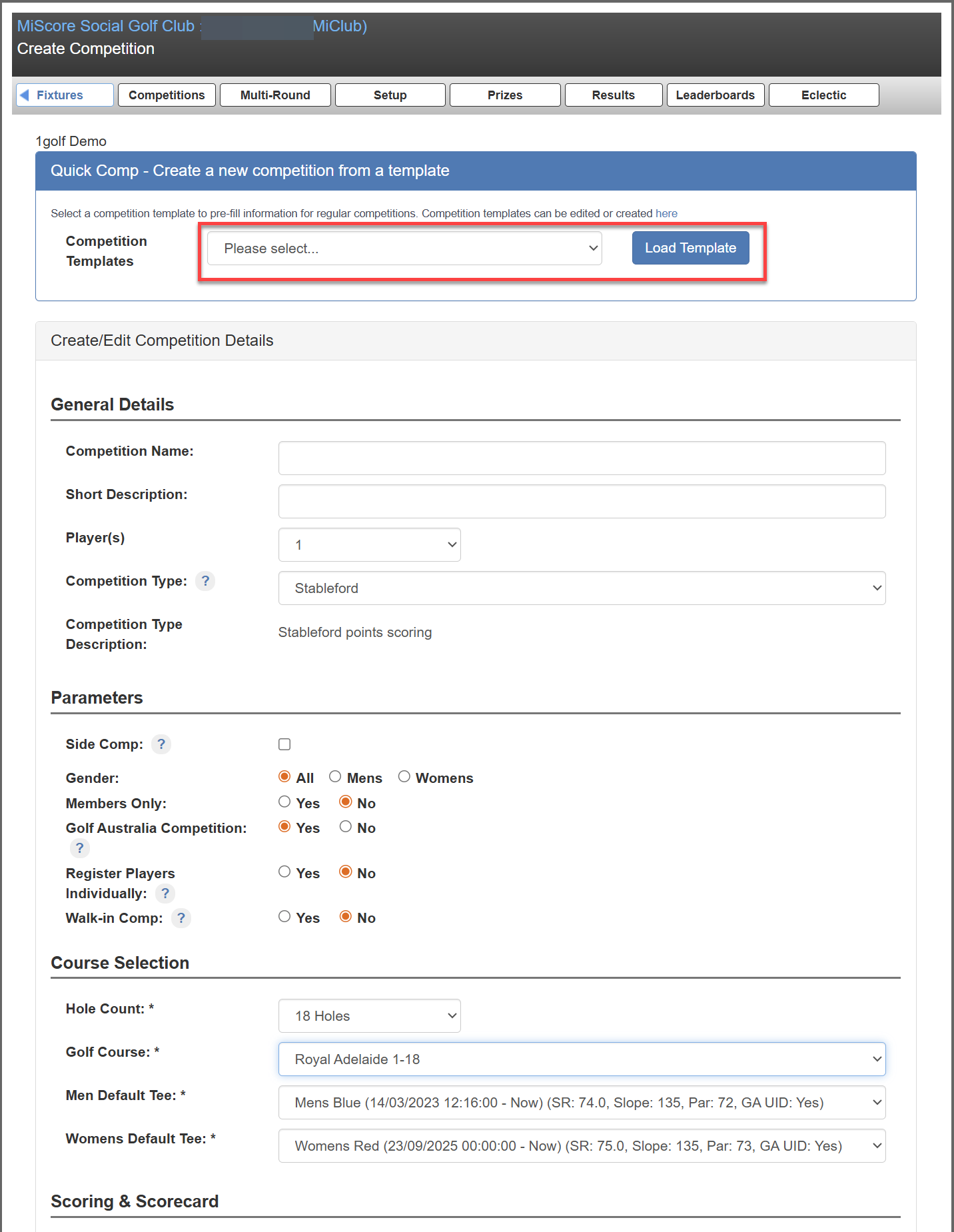
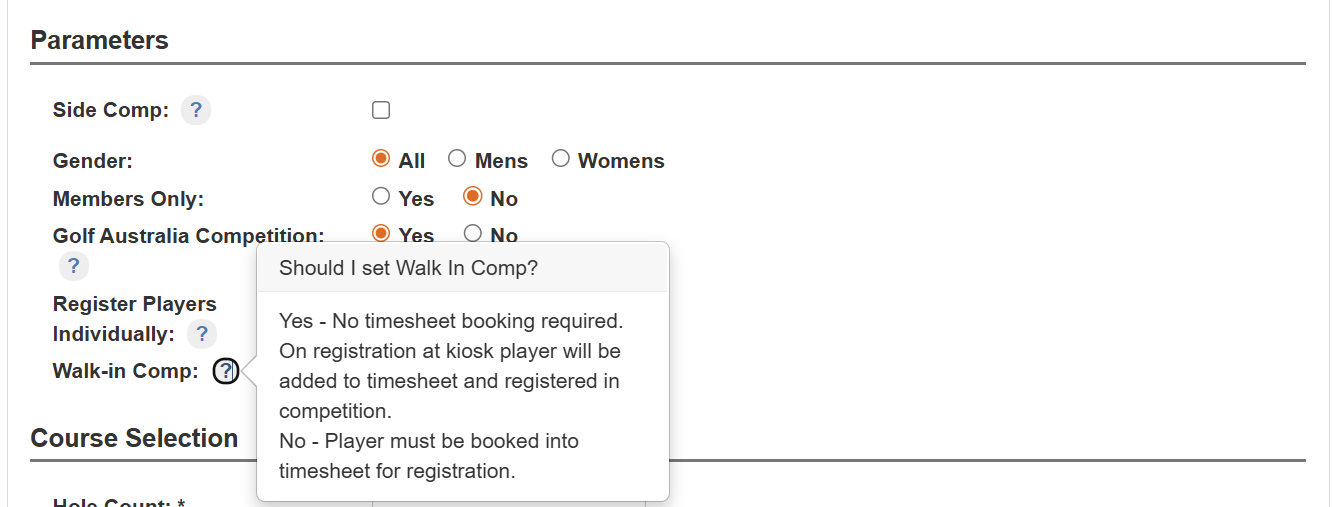
Descriptions for many of the parameters can be found by clicking on the '?' Icon.
You should have a list of pre-loaded scorecards to choose from, you will need to select the one that best matches the competition type.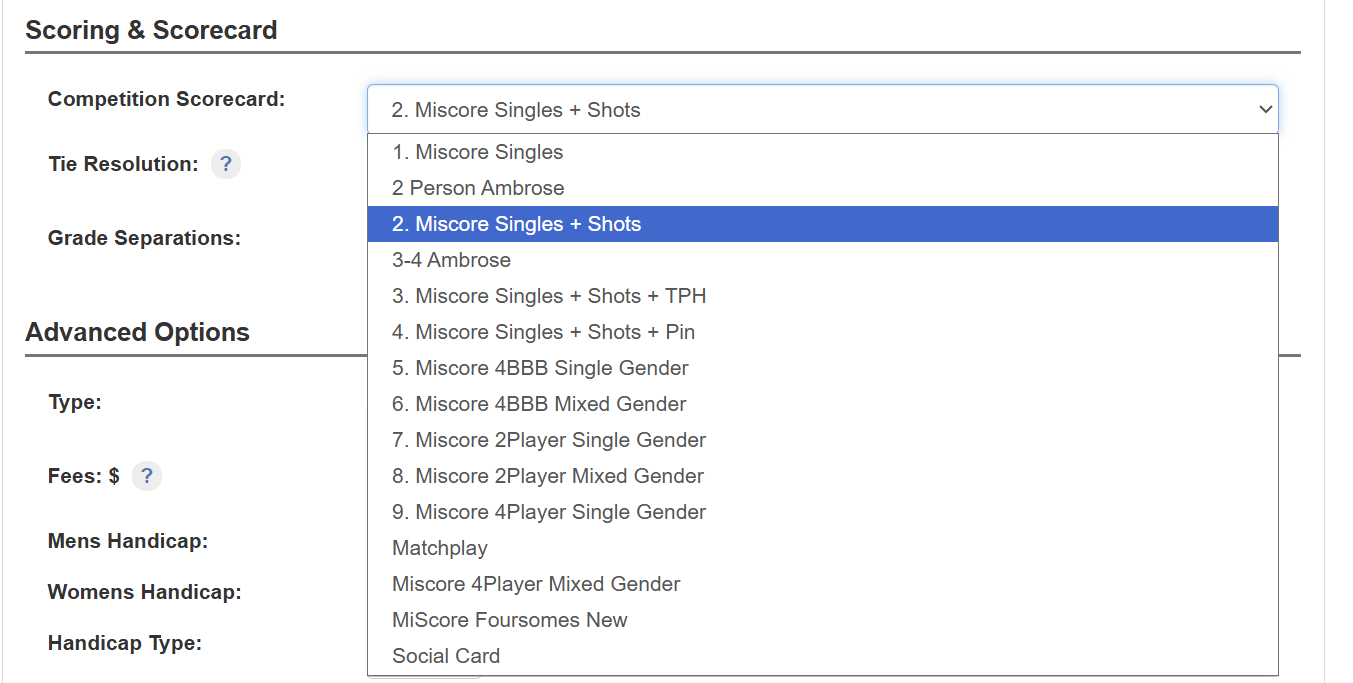
Note: The scorecard refers to a physical printed scorecard - the selection here will not affect MiScore App scoring.
Property explanations
Handicap
- Minimum Handicap
- Maximum Handicap
- GA or Daily
Auto Adjust Handicap will reduce handicap of players to maximum that exceed the maximum. Players with adjusted handicap will be handicapped to normal handicap.
Time
Players can only be registered in the competition when booked on timesheet between the selected times
Age
Only players aged within range can be registered
Ideal for junior and seniors events
Live Scoring
*Live Scoring module required - scores are input hole-by-hole
Leaderboard
- Leaderboard Available Time - leaderboard hides to members until specified time.
- Leaderboard Display - Hides leaderboard to members/visitors/non-members. Can specify how long after the competition to unhide leaderboard.
Saving the competition
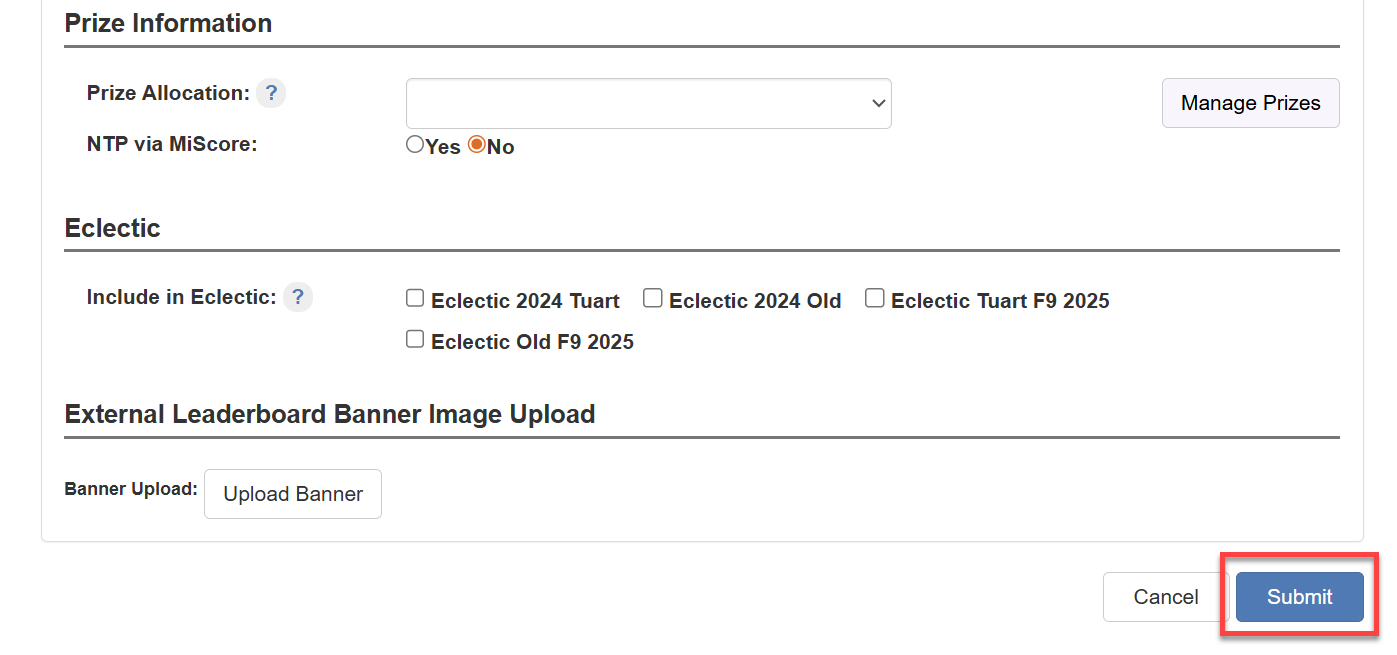
The final step is to press submit at which point the competition is ready to be opened up for registrations when required.

Was this article helpful?
That’s Great!
Thank you for your feedback
Sorry! We couldn't be helpful
Thank you for your feedback
Feedback sent
We appreciate your effort and will try to fix the article