Once a competition has been completed, competition administrators are advised to follow the steps below to ensure players scores are correctly handicapped:
Once a competition has been completed, competition administrators are advised to follow the steps below to ensure players scores are correctly handicapped:
Note: Scores can only be uploaded for handicapping if the competition has been setup to allow handicapping.
Score Upload Process
From the Main Menu select:
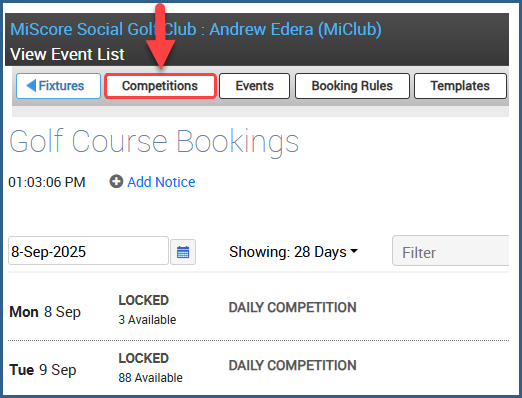
- Competition
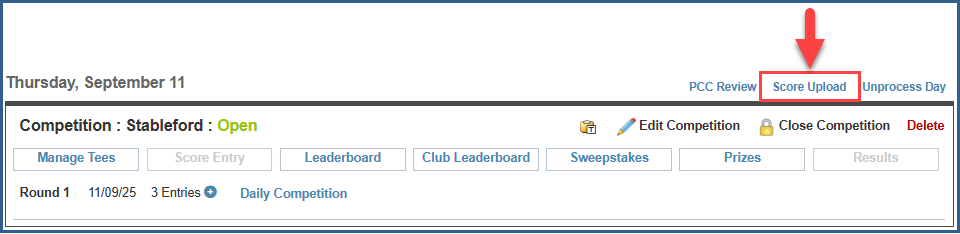
- Score Upload
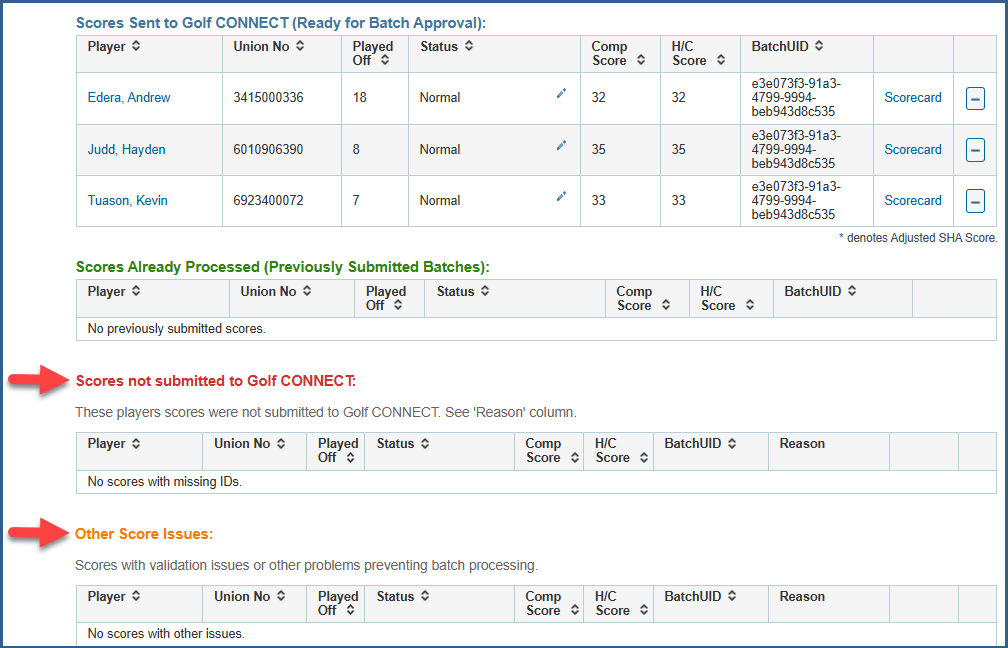
On the upload page review the following sections - Scores not submitted to Golf Australia CONNECT & Other Score Issues and resolve any scorecard issues for the listed players.
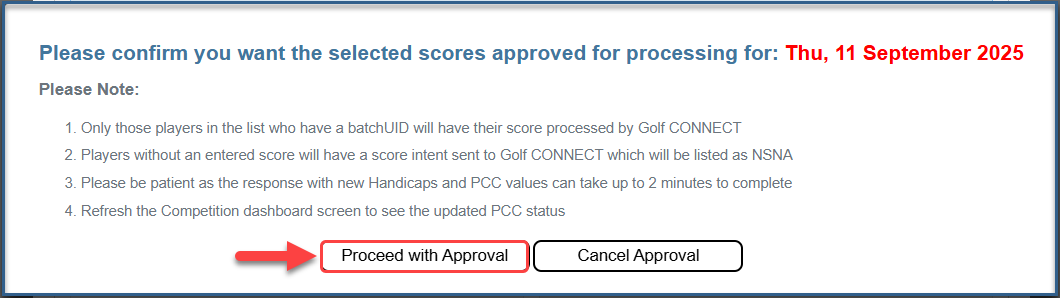
When all scores are displayed in Ready for Batch Approval section, they are ready to approve. select > Approve Scores
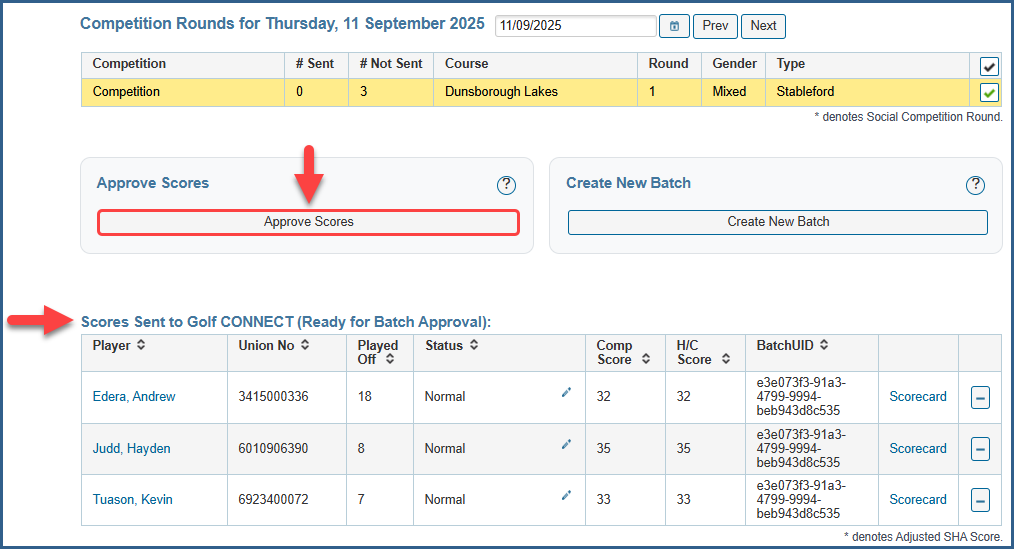
Proceed with Approval
Back to Competitions
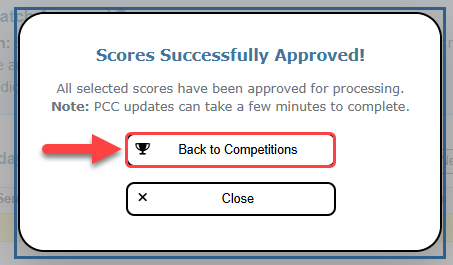
Once scores have been approved, the PCC results may take some time before they are finalised. Whilst the PCC is processing it will display on the competition page as Pending

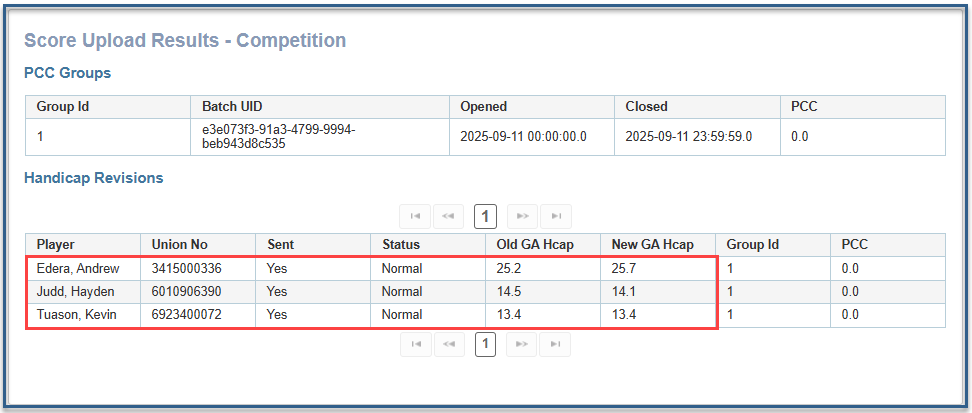
Refresh the page after a few minutes and check for the ✅PCC Results, which indicates handicaps have been updated

Clicking on the ✅PCC Results will allow you to see the updated handicap data.

Was this article helpful?
That’s Great!
Thank you for your feedback
Sorry! We couldn't be helpful
Thank you for your feedback
Feedback sent
We appreciate your effort and will try to fix the article