The following tasks relate to deactivating, resigning or deleting member records from the OneGolf database.
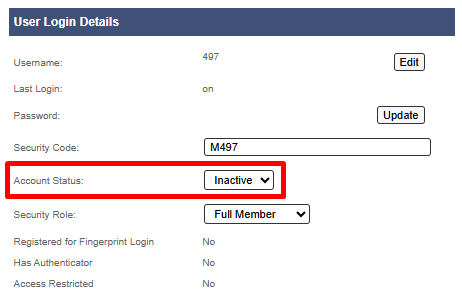
1. Set Account Status to INACTIVE
Under User Login Details, set Account Active status to INACTIVE
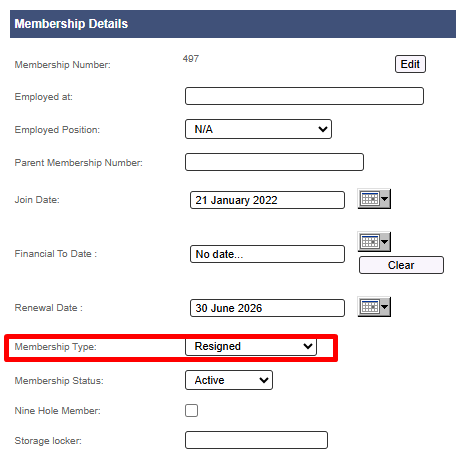
2. Change Membership Type to RESIGNED *
Under Membership Details, change Membership Type to RESIGNED
*It is recommended that clubs create a 'Resigned' membership category to tag resigned members (See details below) 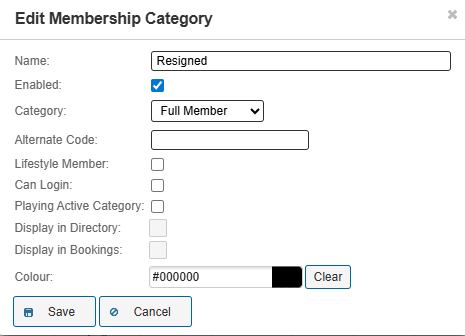
To reinstate a resigned member, using the same membership number, reverse tasks 1 - 3 above. Deleting a member
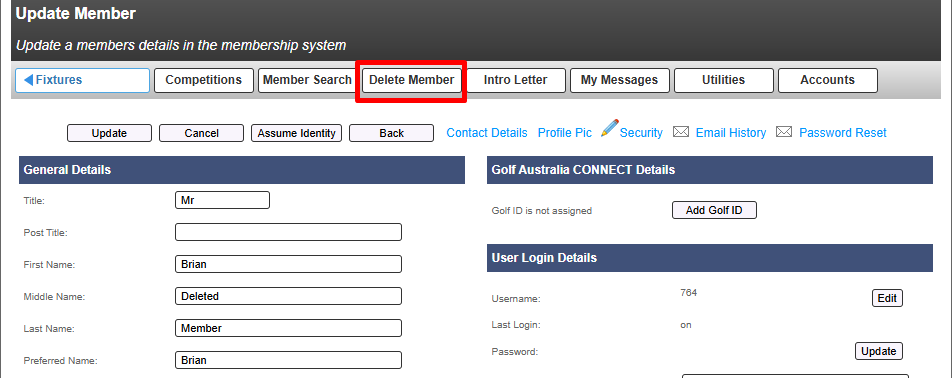
If the club wish to completely delete a member record from the directory, open the member profile page and select DELETE MEMBER from top menu

Was this article helpful?
That’s Great!
Thank you for your feedback
Sorry! We couldn't be helpful
Thank you for your feedback
Feedback sent
We appreciate your effort and will try to fix the article